

Install Overview
Congratulations!
You can finally say goodbye to A/C shut downs & drain pan overflow due to a clogged condensate drain line. Installs in as little as 5 minutes. ... let's get you started!
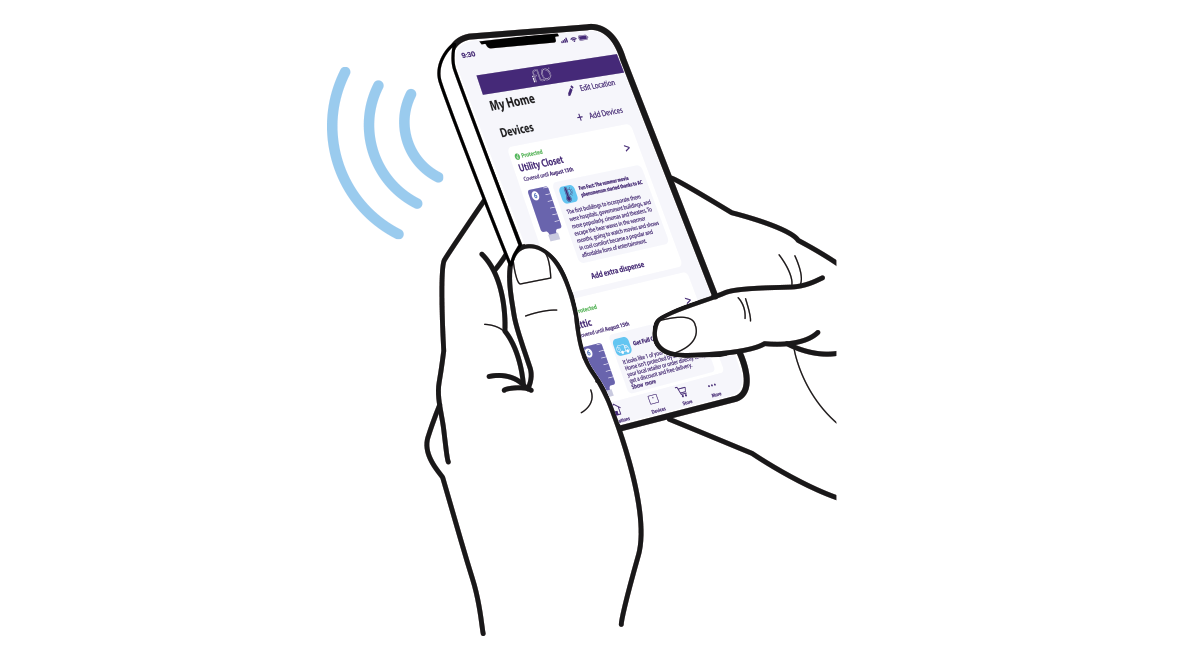
1. Download and Install iFLO® App
To start, download the iFLO® App from the App Store. Then install the batteries into iFLO® device to begin setting up the iFLO® system.
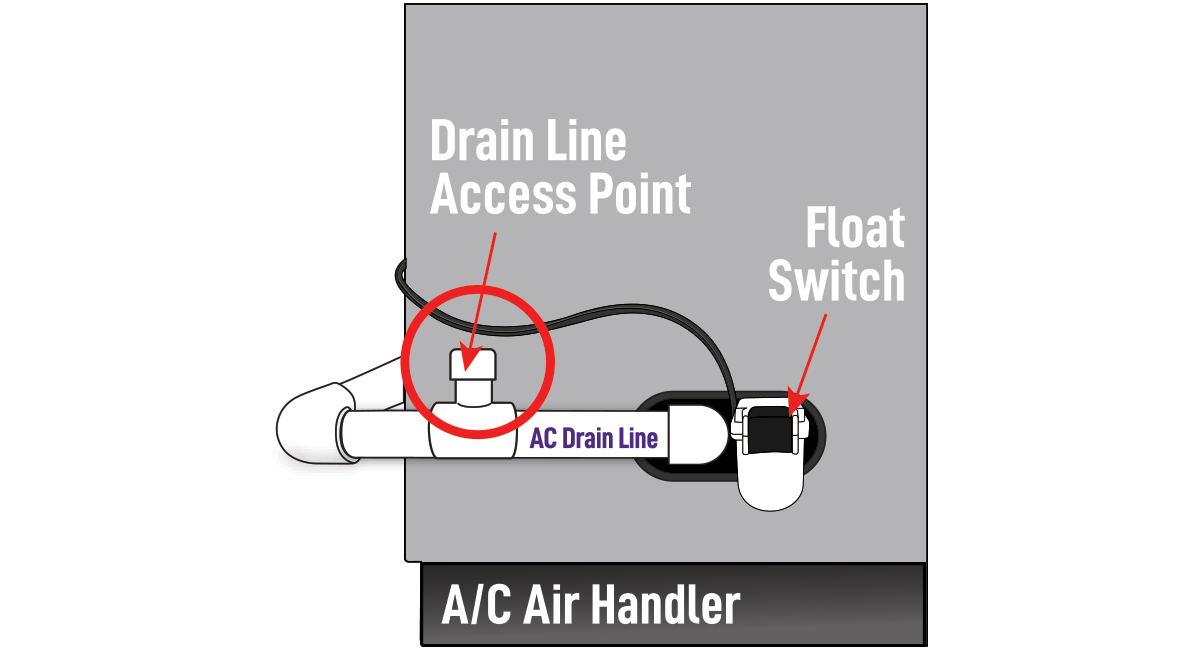
2. Locate air handler & pick install
Locate air handler and pick install.
- Open drain line (3A & 3B) is a good install.
- Closed drain line (4A &4B) is the best install.
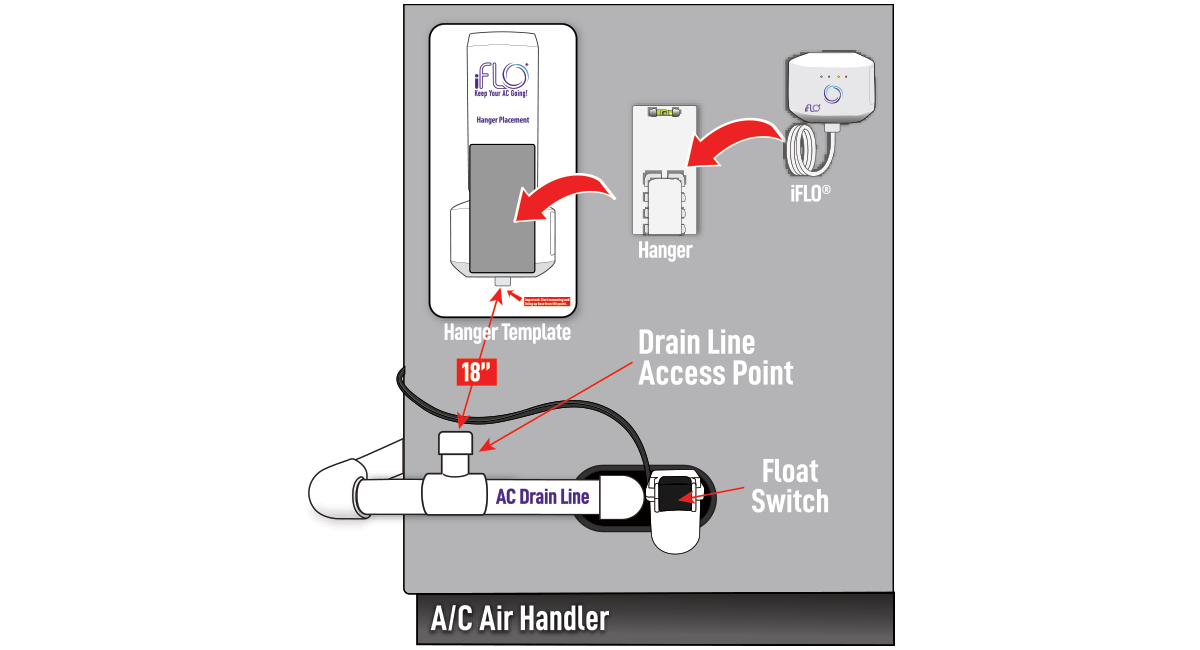
3A. Attach iFLO® dispenser to air handler
Place hanger template approximately 18 inches above the A/C drain line. Once spot is confirmed, clean with alcohol wipe provided and let dry. Then proceed to attaching iFLO® device.
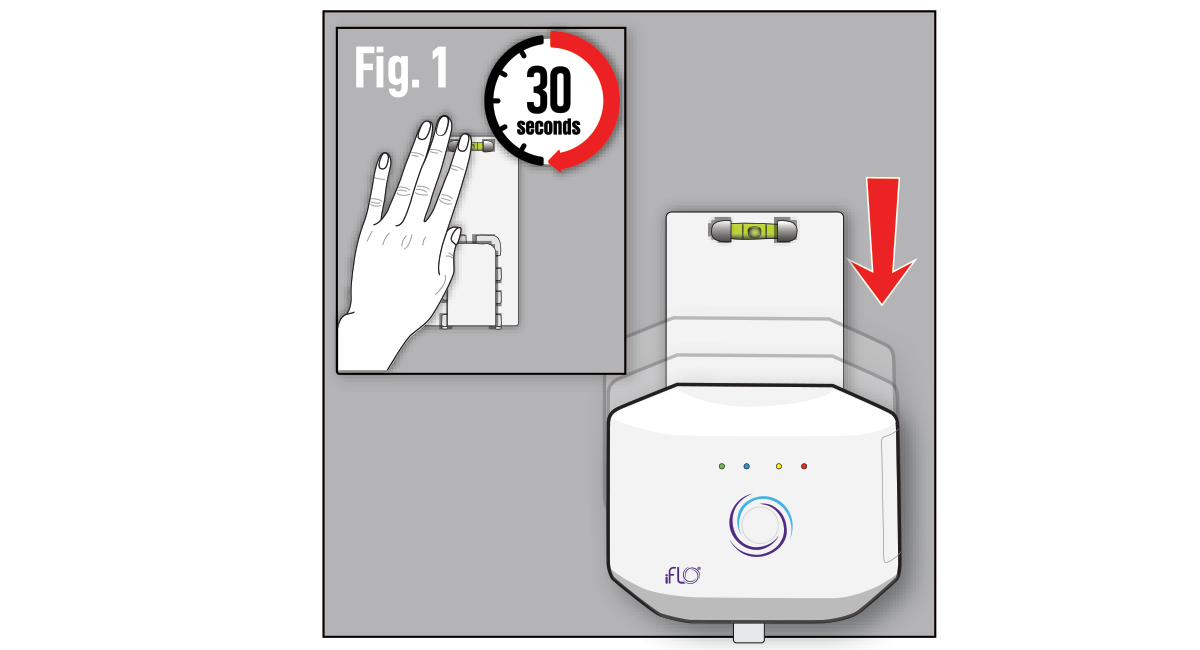
3B.
Remove tape backing and while keeping level centered, press and hold hanger against air handler for 30 seconds (Fig.1). Then slide iFLO® device onto hanger.
Best Installation
Best installation is 4A because it allows the formula to flow directly into the drain pan to break up zoogloea before it forms. It then flows through the drain line for added protection.
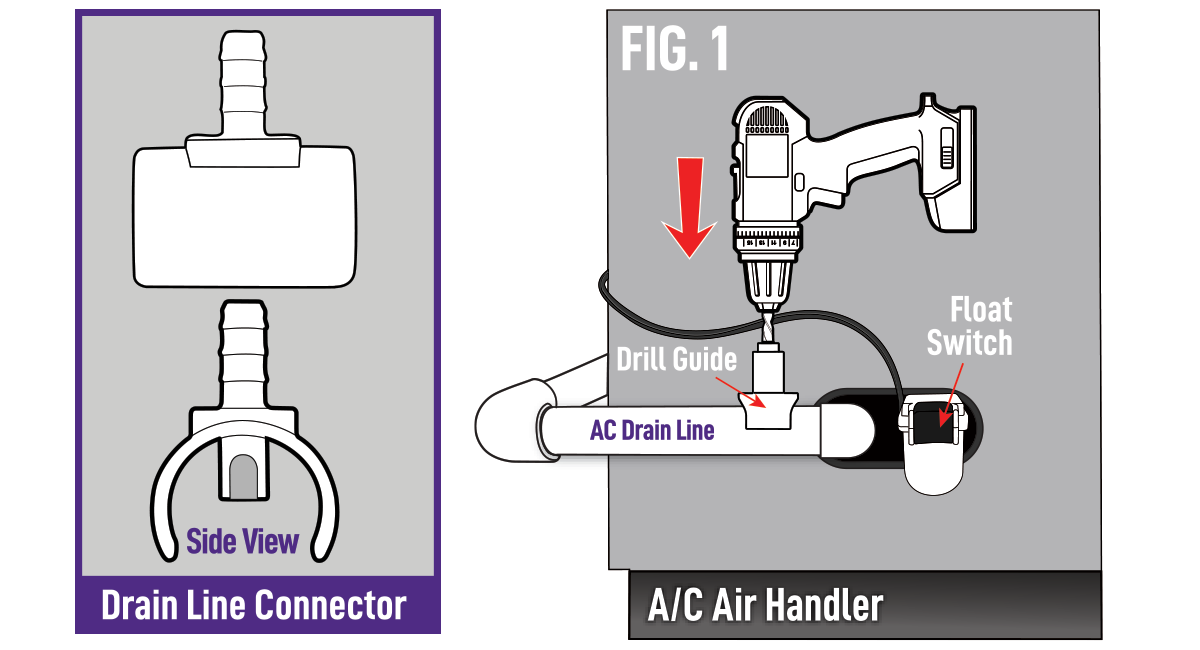
4A. Closed drain line connection
STEP 1
Using the provided drill guide, drill a hole into the drain line as close to the air handler as possible. Guide will prevent drilling through the drain line (Fig 1).
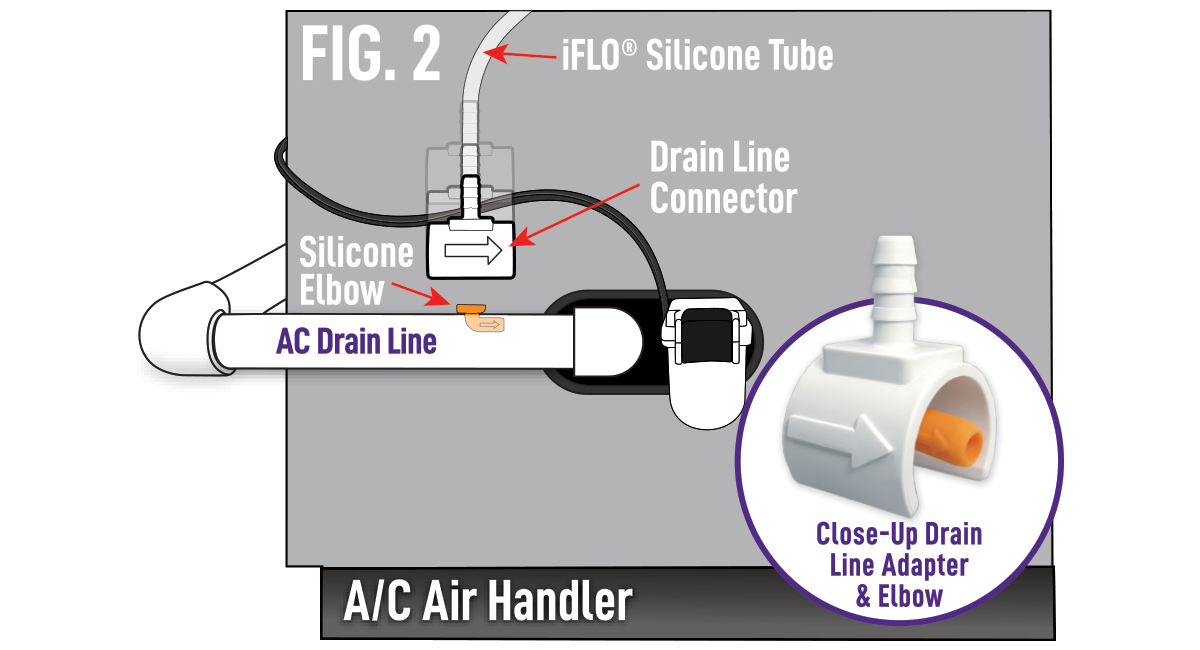
STEP 2
Once hole is drilled, insert orange silicone elbow towards the air handler then place drain line connector over it with arrow also facing the air handler. Then attach silicone tube form base of iFLO® drain line connector (Fig 2). Proceed to step 5.
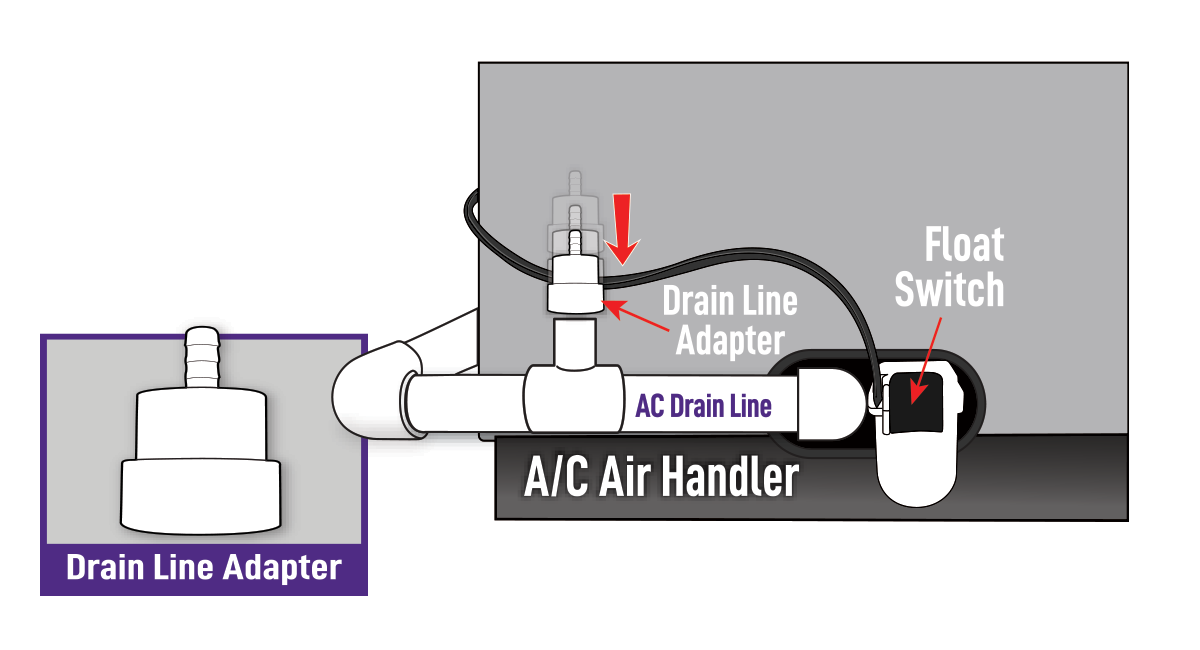
4B. Open drain line connection
STEP 1
Remove drain cap from access point & place drain line adapter over open line.
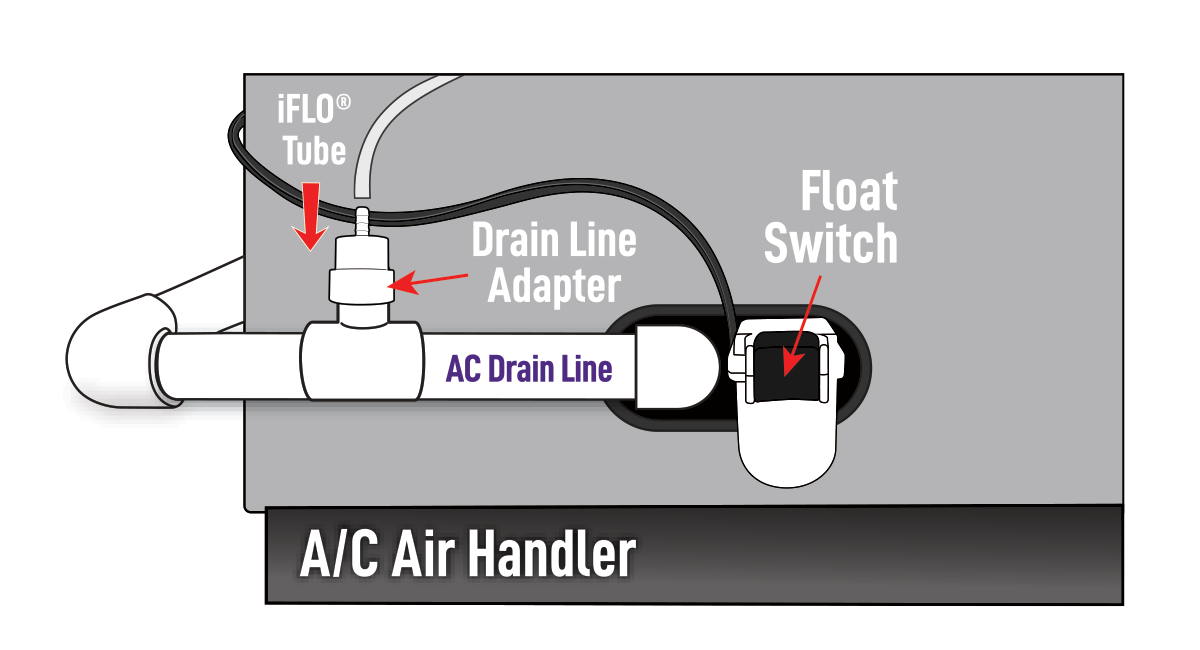
STEP 2
After drain line adapter is in place, attach iFLO® silicone tubing snug onto adapter.
Proceed to step 5.
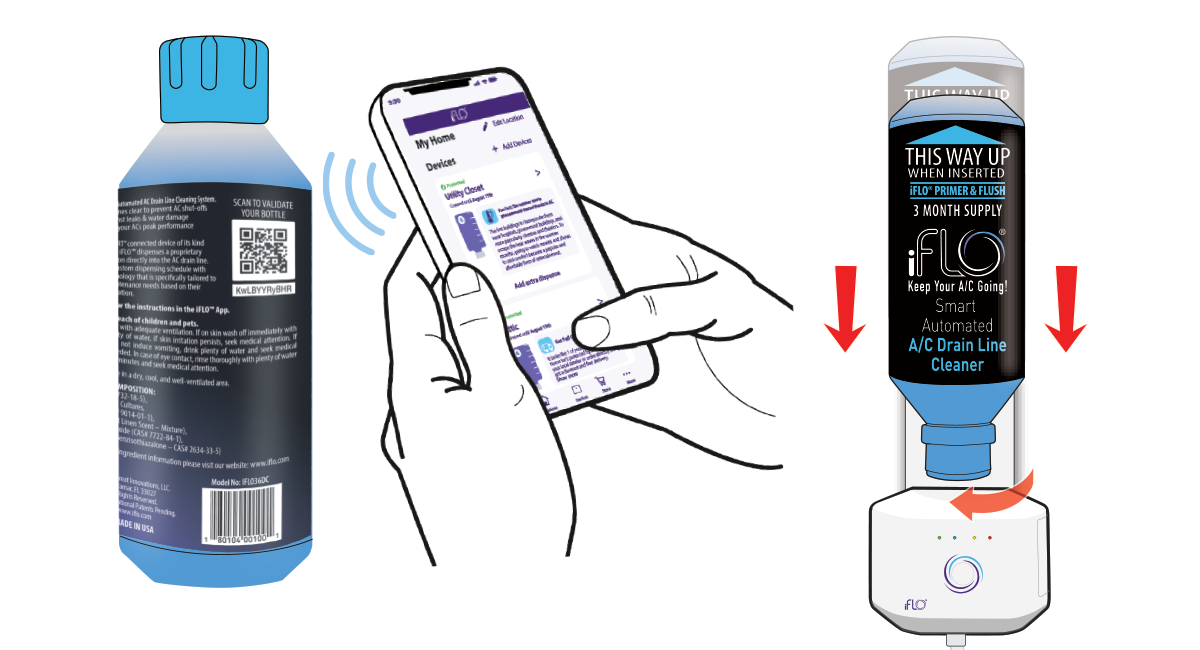
5. Scan & insert cartridge
Scan QR code on cartridge to validate then remove cap from cartridge insert into iFLO® base. Push down and twist into place until it clicks then turn the iFLO® device on and open the app to follow instructrions and complete installation.
